If you’re just getting into digital marketing, the sheer number of tools out there can feel overwhelming. Everyone seems to recommend a different platform, and it’s easy to get stuck downloading apps you’ll never open again. The truth is, you don’t need fancy paid software when you’re starting out. A handful of simple, mostly free tools can teach you far more than any expensive suite.
Here’s a practical look at the best digital marketing tools for beginners, the ones that actually help you learn by doing.
Why Tools Matter More Than Theory?
Reading about SEO or social media is useful, but nothing sticks until you open a real dashboard and start clicking around. The right tools let you see how traffic moves, how posts perform, and what happens when you change a headline or target a different audience. That’s where real learning begins.
1. Google Analytics – Your Window into Real Behaviour
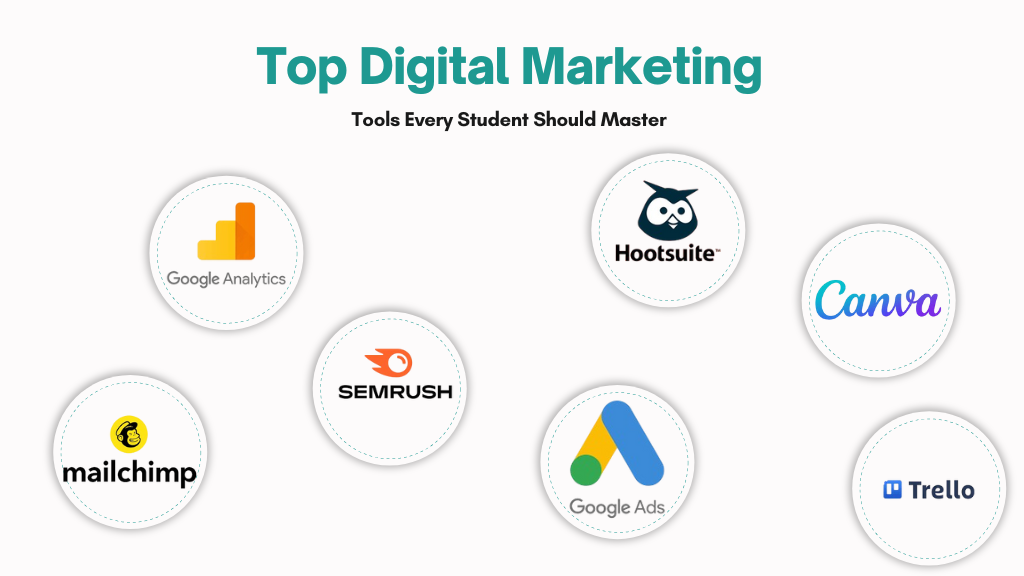
Google Analytics is free and surprisingly powerful. It shows you where your website visitors come from, which pages they read, and where they leave. For beginners, this is pure gold. You start noticing patterns instead of guessing. Pair it with Google Search Console and you’ll also see how Google views your site, which keywords bring traffic and which pages need fixing.
Link: Google Analytics
2. Google Keyword Planner & Ubersuggest – Finding What People Actually Search For
Keyword research sounds technical, but these two tools make it straightforward. Google Keyword Planner gives you solid search volume data (you just need a Google Ads account). Ubersuggest is even more beginner-friendly — it suggests related keywords, shows difficulty scores, and offers content ideas. Both help you stop writing what you think is interesting and start creating what people are already looking for.
Link: Ubersuggest
3. Google Search Console – Learn All About Website Traffic
Google Search Console is a free tool that helps beginners understand how their website performs on Google. It provides information about search queries, clicks, impressions, rankings, indexing, and website issues. Marketers can use these insights to identify SEO opportunities, fix indexing problems, and improve their website’s visibility in search results
Link: google search console
4. Canva – Design Without the Design Degree
You don’t need Photoshop. Canva is the tool most working marketers still use daily for social posts, blog images, and simple ads. The templates are clean, the interface is friendly, and you can create something professional in under ten minutes. It’s one of those rare tools that makes you look experienced even when you’re just starting.4. Buffer or Later – Keep Your Social Media Consistent
Posting regularly is harder than it sounds. Buffer and Later let you schedule posts across Instagram, LinkedIn, Facebook and X in one place. You can plan a week’s content in a single sitting and then check performance later. It’s a simple way to build the habit of consistency without living on your phone.
Link: Canva
5. Mailchimp – Learn Email Marketing the Gentle Way
Email still works better than most people realise. Mailchimp’s free plan is perfect for beginners. You can build a small list, design a clean newsletter, and see open rates and clicks. Once you’ve sent a few campaigns, you start understanding why subject lines matter and how timing affects results.
Link: Mailchimp
6. Google Ads & Meta Ads Manager – A Safe Way to Learn Paid Ads
Organic reach is great, but paid advertising teaches you fast. Both Google Ads and Meta Ads Manager have free learning centres and practice modes. You can set up small test campaigns, watch the data come in, and learn targeting without spending a fortune. Many people discover they enjoy performance marketing once they try it hands-on.
Link: Google Ads
7. Meta Business Suite- Way to Learn FB and IG Posting
Meta Business Suite is a powerful tool for managing Facebook and Instagram marketing. Beginners can use it to schedule posts, create content, respond to messages and comments, track engagement, and analyze performance. It makes social media management easier by bringing important publishing and analytics features together in one convenient dashboard.
Link: Meta Business Suite
8. Youtube Studio – To Measure YT Video Stats
YouTube Studio is an essential tool for beginners who want to grow on YouTube. It allows creators to upload and manage videos, check views, monitor watch time, understand audience behavior, track subscribers, and analyze video performance. These insights help creators improve their content strategy and build a stronger YouTube presence.
Link: Youtube Studio
9. ChatGPT – Your Writing Sidekick
AI tools like ChatGPT are genuinely useful when you’re stuck. Need five headline options? A caption for Instagram? An outline for a blog post? It helps you move faster. The key is to treat it as a starting point, not a finished product, edit heavily and add your own voice.
Link: ChatGPT
A Few Honest Tips
Don’t try to master everything at once. Pick two or three tools and use them regularly for a month. Create a small project a personal blog, an Instagram page for a hobby, or a free newsletter, and practise on that. Track what works and what doesn’t. That’s how real skill develops.
Most professionals still use many of these same free or freemium tools every day. You don’t need the most expensive software to start building real experience.
Final Thought
The best digital marketing tools for beginners are the ones that feel approachable and give you clear feedback. Google Analytics, Canva, Ubersuggest, Buffer, and Mailchimp will take you further than you might expect. Start small, stay consistent, and keep experimenting. The more you use them, the more natural digital marketing will feel.